Rooms sit empty owing to double bookings and no-shows on your busiest days, which is a coincidence. An all-in-one booking system with up-to-the-minute availability, seamless calendar integrations, and intelligent release and hold rules can solve this problem. Combine it with layout flexibility, quick-turn setups, and hybrid-ready technology. Reduce friction through training teams, tracking usage, and customizing defaults. The most unexpected aspect is how little adjustments reveal latent capabilities and what those shortcomings reveal thereafter…
1. Implement a Centralized Booking System
When you centralize room reservations, you eliminate double booking and guesswork. A centralized calendar that syncs across tools creates a single source of truth, ensuring that everyone sees real-time availability.
Reserve rooms in seconds, and booking notifications confirm, remind, and update attendees as their plans change. Instantly identify conflicts and automatically free up no-shows.
Integrate your system with existing calendars to reduce friction and keep workflows familiar. Display instant room status on in-room screens so walk-ups know what’s free.
Use analytics from your booking tool to identify peak times and underused spaces, then adjust policies to keep meetings flowing.
2. Embrace Hybrid Work Needs
Although teams are split between offices and home, your meeting rooms should make everyone feel equally present. Equip each space with high-quality cameras, beamforming mics, and reliable speakers to boost remote engagement.
Standardize platforms, logins, and controls so anyone can start a call in seconds. Pick inclusive technology—auto-framing, captioning, and equalized audio—to balance participation and reduce bias toward in-room voices.
Provide dual displays for people and content, plus simple content sharing. Ensure stable bandwidth, tested acoustics, and clear join instructions.
Record settings as presets and monitor usage to spot gaps. When tech feels invisible, hybrid collaboration becomes effortless.
3. Optimize Room Layout
Because layout shapes behavior, design meeting rooms to flex fast between focus, discussion, and workshop modes.
Use movable tables, stackable chairs, and mobile whiteboards to swap configurations in minutes. Define zones—presentation, breakout, and heads‑down—so you can pivot without friction.
Favor flexible arrangements that keep sightlines clear and traffic flowing. Plan storage to park surplus furniture quickly. Mark floor guides for speed resets. Choose creative setups that nudge participation and reduce wasted space.
- Cluster pods for small-group sprints, then roll into a U-shape for debates
- Create a runway wall for canvases, storyboards, and stand-ups
- Keep a reset map posted for rapid turnovers
4. Utilize Technology to Increase Efficiency
Flexible rooms work best when the tech is just as agile. Equip spaces with all-in-one video conferencing bars that deliver noise cancellation, speaker tracking, and a user-friendly interface.
Use wireless technology to simplify cable management and speed setup. Standardize collaboration software so teams share content instantly and receive real-time updates.
Improve meeting quality with auto-framing cameras and echo control. Connect booking tools with meeting analytics to reveal usage patterns and tech issues.
Push firmware remotely to keep systems secure. Provide quick-start presets that launch calls with one tap. Monitor health dashboards to resolve problems before they disrupt meetings.
5. Make the Meeting Room More Comfortable
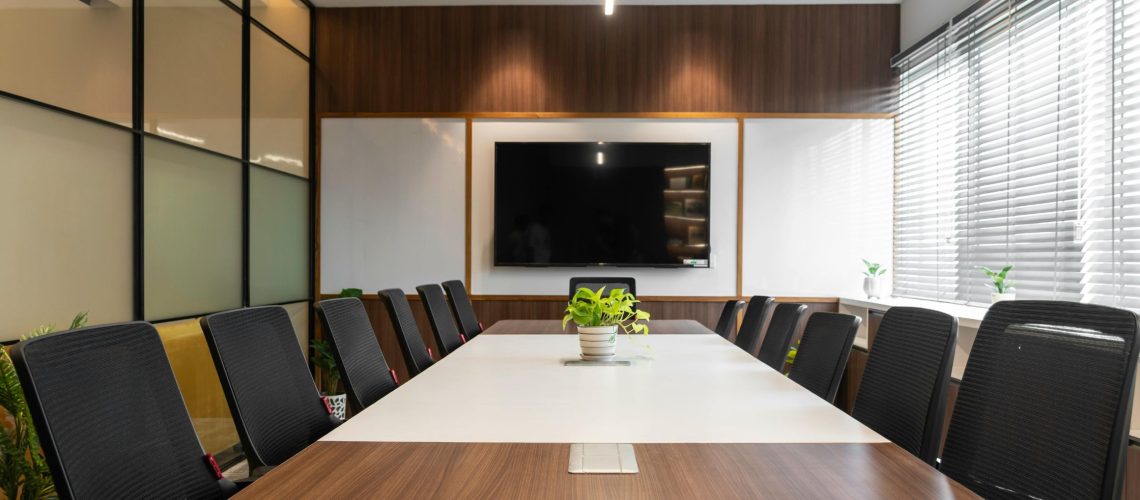
Even the best tech can’t save a meeting if the room feels uncomfortable. Prioritize light, air, and temperature first.
To avoid having to raise your voice over background noise, invest in acoustic enhancements that dampen echo and other ambient noise. Opt for chairs that promote good posture for extended periods of time. To avoid eye strain, keep the lighting bright but adjustable.
Add plants and warm tones to make the space inviting without distractions. Provide water and simple amenities so people stay focused.
- Adjust blinds and dimmers to match the task and time of day.
- Zone HVAC to avoid hot or cold spots.
- Offer flexible chairs and cushions for quick comfort tweaks.
6. Regular Maintenance and Updates
When you treat maintenance as a routine, your meeting rooms stay reliable and stress-free.
Create clear maintenance schedules for AV gear, displays, network points, and room tablets. Align them with your scheduling best practices so checks happen during off-peak hours.
Inspect cables, test microphones and cameras, update firmware, and reboot devices weekly. Log issues, assign owners, and set response SLAs to fix faults fast.
Replace failing batteries and consumables proactively. Schedule quarterly deep audits to recalibrate systems and verify Wi‑Fi coverage.
Keep spare adapters and a backup camera on hand. Document configurations to speed troubleshooting and ensure consistent performance.
7. Provide Training and Resources
Although your rooms may be well equipped, they only deliver value when people know how to use them.
Offer quick training sessions that show how to book rooms, start calls, share screens, and troubleshoot basics. Pair these with clear resource materials—short videos, step-by-step cheat sheets, and FAQs—accessible from booking apps and room displays.
Appoint “room champions” to coach teams and surface issues early. Reinforce learning with refreshers after upgrades.
- Host monthly training sessions; record and share replays
- Create resource materials: one-page guides by room type
- Add QR codes in rooms linking to instant how-tos and support
8. Leverage Data for Improvement
Training only sticks if you measure what happens next. Use data insights from your centralized booking system to see what’s working and what’s wasting time.
Monitor usage trends, including peak times, underutilized rooms, meeting durations, no-shows, and equipment requests. Compare room size to attendee count to optimize spaces and reduce conflicts. Identify and address recurring technical issues before they escalate.
Set clear KPIs—utilization rate, booking lead time, cancellation rate, and turnaround time—and review them monthly.
Act on findings, then remeasure to confirm improvement. Repeat.
9. Enhance User Experience With Personalization
Even small touches of personalization can turn a functional room into a productive one.
Map user preferences to quick presets so you can fine-tune lighting adjustments, temperature settings, and seating flexibility in seconds. Let each meeting type define the meeting ambiance—focus sessions stay calm, brainstorms feel bright and energizing.
Save profiles for teams and regular hosts to reduce setup friction and boost comfort. Pair these choices with light engagement strategies that respect time and purpose.
- Dim lights, warm tones, and quiet HVAC for deep work
- Neutral lighting and balanced temperature for updates
- Flexible seating clusters to energize stand-ups and huddles
10. Foster Collaboration With Interactive Tools
Personalized presets set the mood; interactive tools make the work happen. Equip rooms with touchscreens, smart boards, and digital whiteboarding so teams can co-create instead of just watching.
Run brainstorming sessions that capture ideas instantly and structure engaging discussions. Use interactive presentations to annotate, poll, and collect real-time feedback, keeping remote and in-room participants aligned.
Host collaborative workshops that mix hands-on exercises with shared documents for creative problem solving. Build trust through concise team-building activities using live quizzes or retros.
ReCoordinate decisions, assign owners, and export outcomes so momentum continues after the meeting. meeting—and your best ideas don’t disappear.
The 1222 Office System Will Revolutionize Your Workplace
With 1222 Office, you don’t just get rooms—you get a partner dedicated to making every minute count. Our expertise across executive offices, virtual offices, and meeting room services means you benefit from purpose-built spaces, polished amenities, and a hospitality-driven team focused on your success. From seamless booking and hybrid-ready tech to flexible layouts and concierge-level support, we help you reduce scheduling conflicts, speed up turnarounds, and create consistently productive, welcoming experiences.
As a locally owned, customer-first provider, we deliver the professionalism and image your business deserves—backed by responsive service, transparent value, and the convenience you need to operate at your best. Whether you’re securing a private executive office, projecting a prestigious presence with a virtual office, or hosting high-impact meetings, 1222 Office ensures it all runs smoothly. Reclaim lost time, elevate your brand, and give your team and clients an environment where work flows—confidently and efficiently.